Introduction to FlClash #
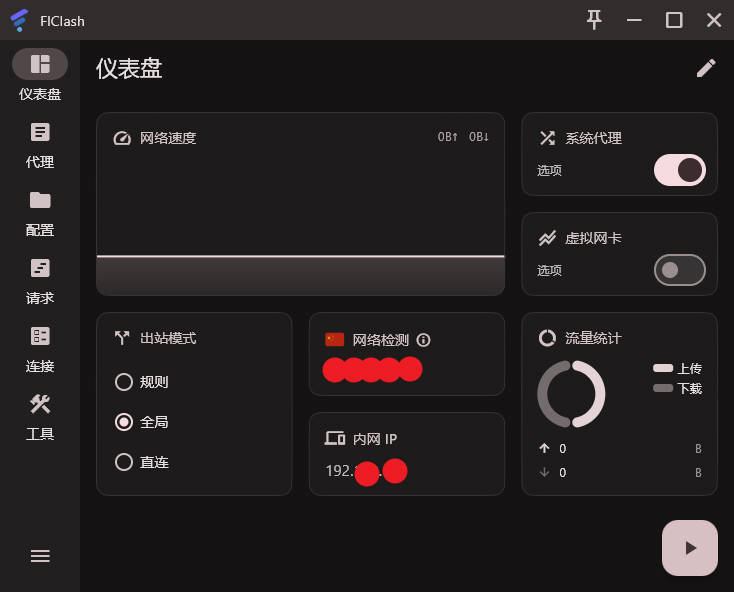
FlClash is a multi-platform proxy client that supports Android, Windows, macOS and Linux. Built on the Clash Meta core, it features adaptive multi-screen support, powerful proxy functions and a simple user interface. Other popular Clash-based clients include: Clash for Windows, Clash Verge Rev, Shadowrocket, Stash, Hiddify Next, sing-box, v2box, v2rayN, Karing, and more.
FlClash Download #
Windows: GitHub Download, Local Download
Android: GitHub Download, Local Download
macOS: GitHub Download, Local Download
Recommended Subscription Services #
- The following services charge by traffic volume. Tutorials for software usage and installation are available on their websites.
- After purchasing traffic, there is no time limit — use until the traffic is exhausted.
| Name | Price | Traffic | Nodes |
|---|---|---|---|
| 魔戒 | 1 CNY | 1G | 30 |
| 网际快车 | 7 CNY | 20G | 54 |
| 牛逼 | 14 CNY | 200G | 31 |
| 飞鸟 | 10 CNY | 200G | 25 |
| 皮卡丘 | 15 CNY | 20G | 40 |
| happy猫 | 20 CNY | 200G | 27 |
| 农夫山泉 | 45 CNY | 200G | 40 |
| 宝贝云 | 55 CNY | 600G | 64 |
| 自由猫 | 65 CNY | 500G | 71 |
| 飞兔 | 30 CNY | 100G | 80 |
FlClash Usage Tutorial #
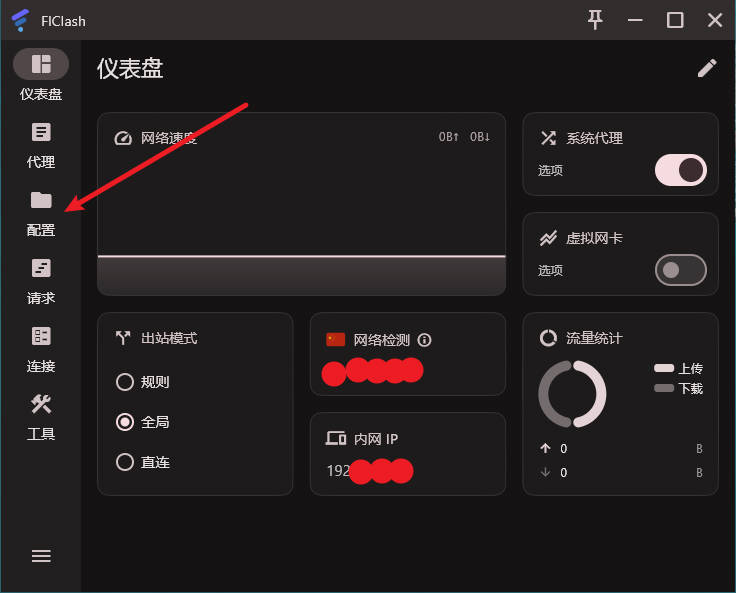
- Open the software and click the Profiles button
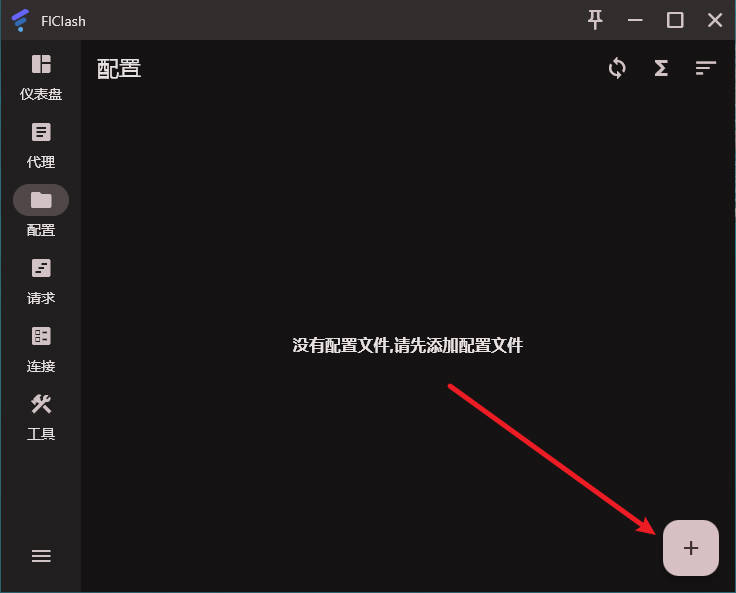
- Click the plus icon and select Get Profile from URL
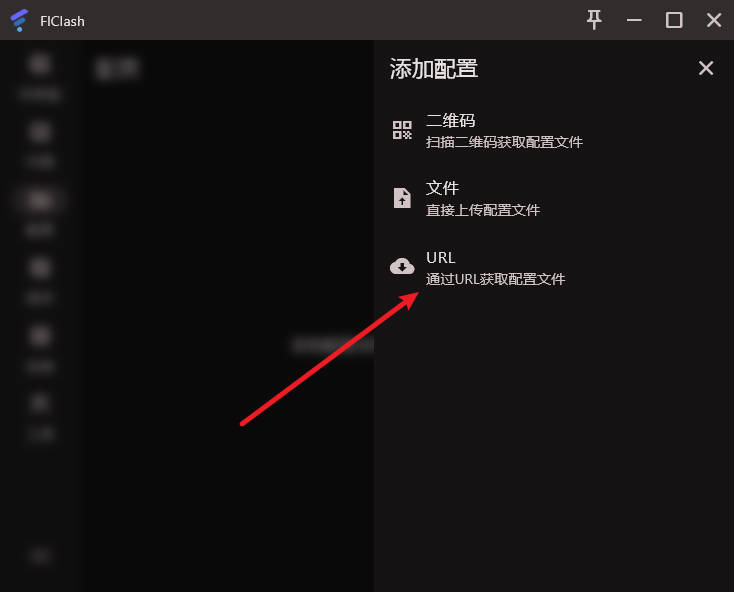
- Enter the following address (this is a temporary test node)
- It is recommended to purchase a formal subscription link from a service provider
https://sod.psjch.xyz/yaml/f5ea7b1dfb2dbccd9f6240d9bf8bad91.yaml
- Click Proxies and select the Bulgaria node as shown
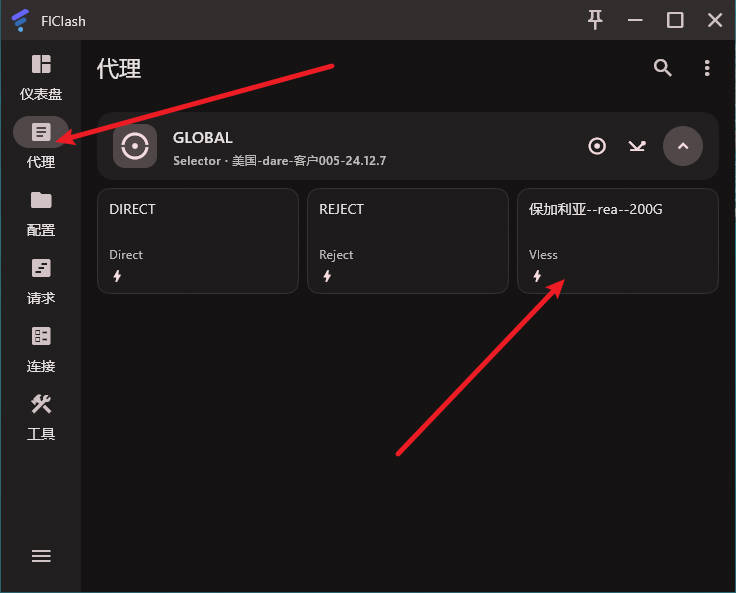
- Click Dashboard, then enable System Proxy, Global, and Start Proxy in sequence
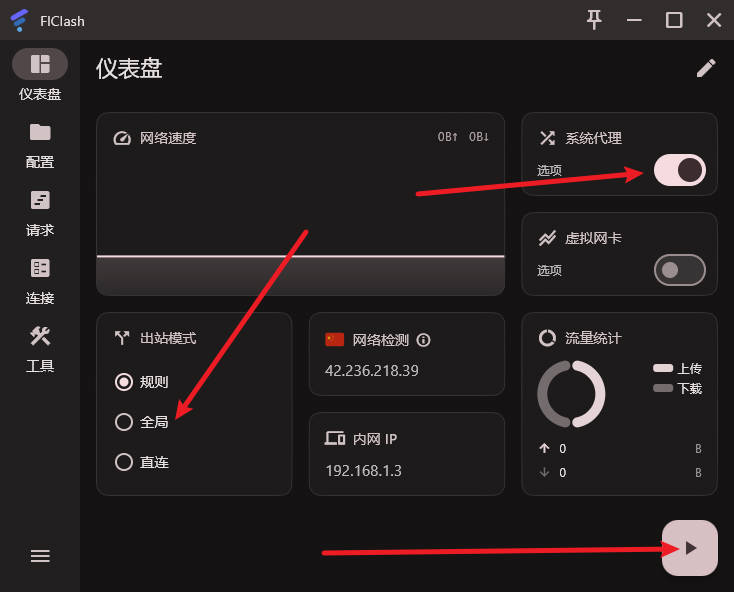
- You can now access the internet without network restrictions